
Do you want to turn off the Facebook Professional Mood option? But don’t know how to turn off the Facebook Professional Mood option? Then read today’s tips carefully and you will know the details.
In this rapidly changing era of technology, Facebook is constantly updating itself. For the convenience of users, Facebook has brought ‘Professional Mode’, through which it is possible to become a content creator from the profile. However, many times we need to turn off this mode for personal privacy or general use. In today’s blog, we will discuss how to easily turn off Facebook Professional Mode in the new update of 2026. If you want to return your profile to its previous normal look, then this guide is for you.
how to turn off professional mode on facebook: step by step
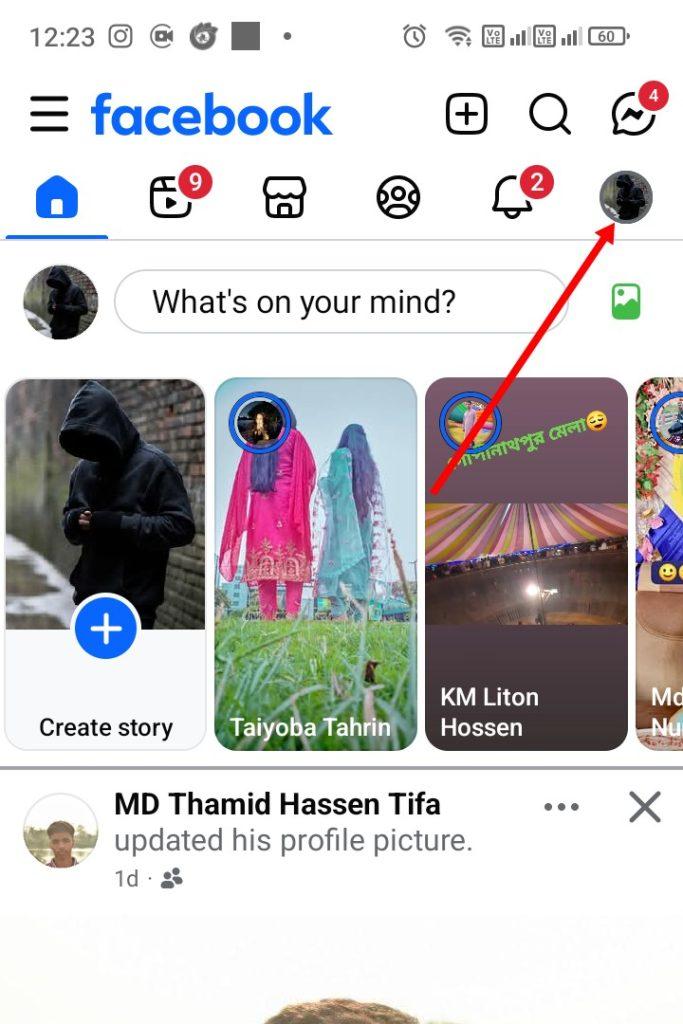
Step 1:- To turn off Facebook Professional Mode. First, open the Facebook app. Then click on your profile icon at the top.
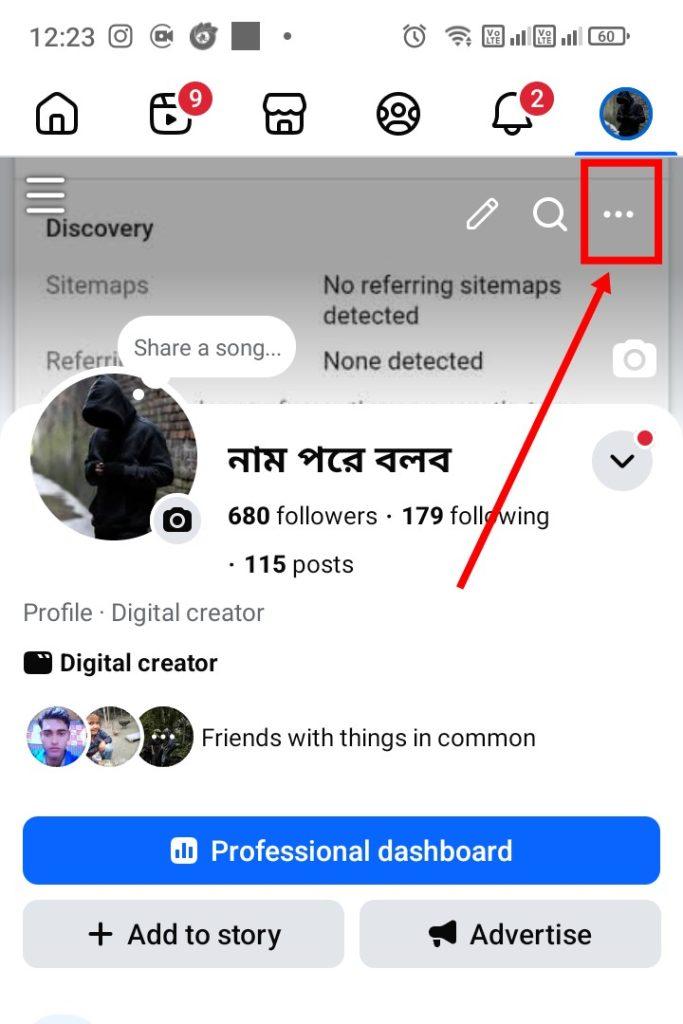
Step 2:- After clicking on the profile icon. Click on the three dots (…) icon at the top.
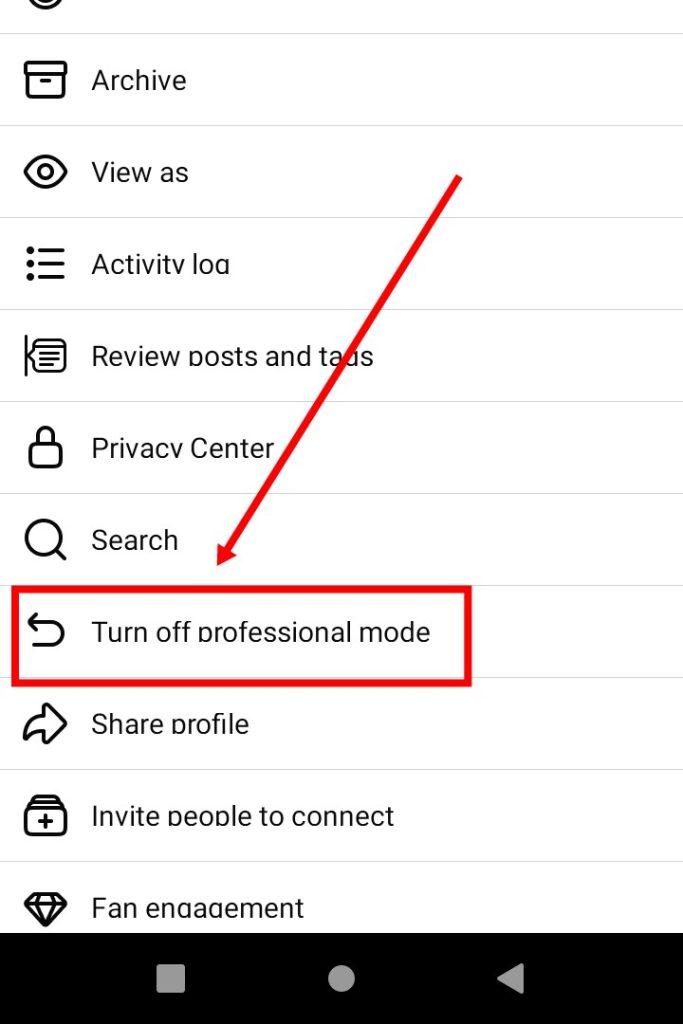
Step 3:- Then you will see options like the above screenshot. Now click on this option (turn off professional mode).
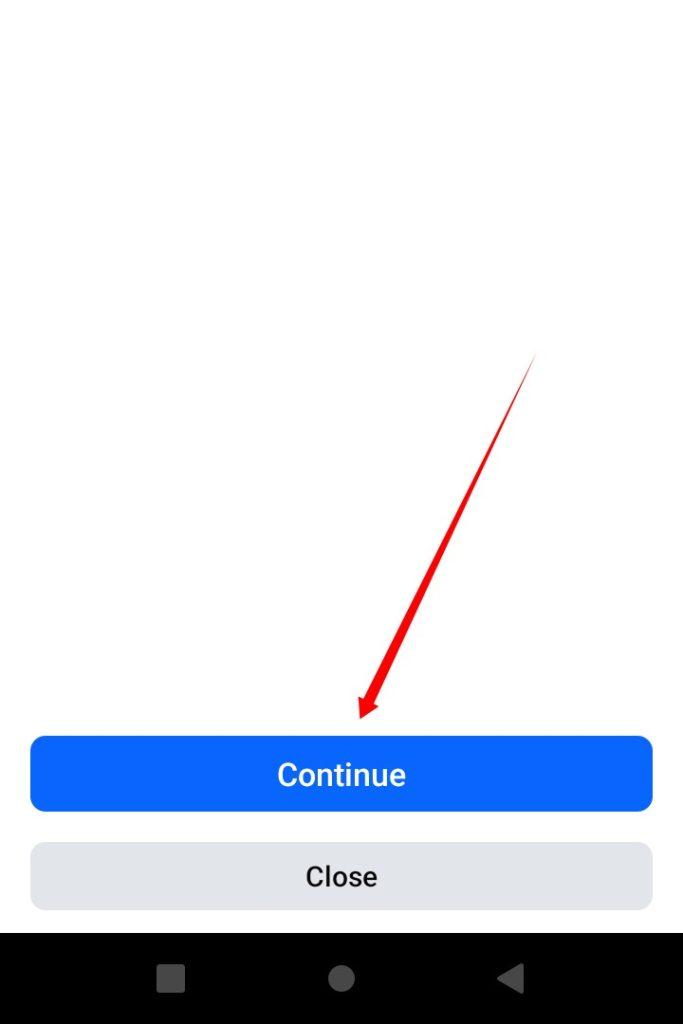
Step 4:- Then the interface like the screenshot above will appear. Now you can see the option (continue) and click on it.
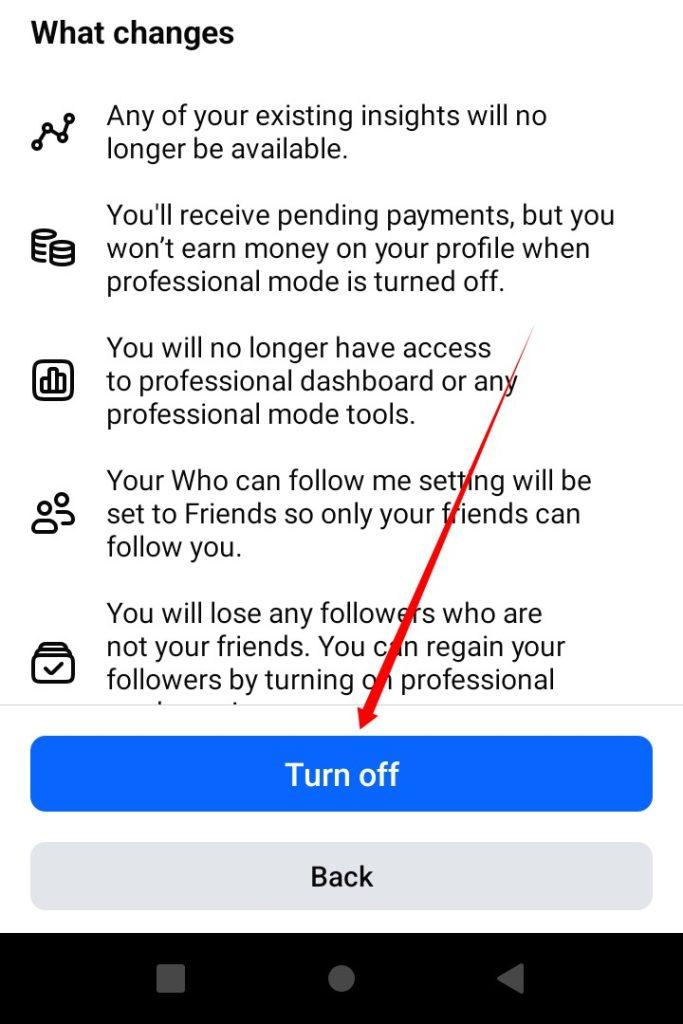
Step 5:- Then click on this option (turn off).
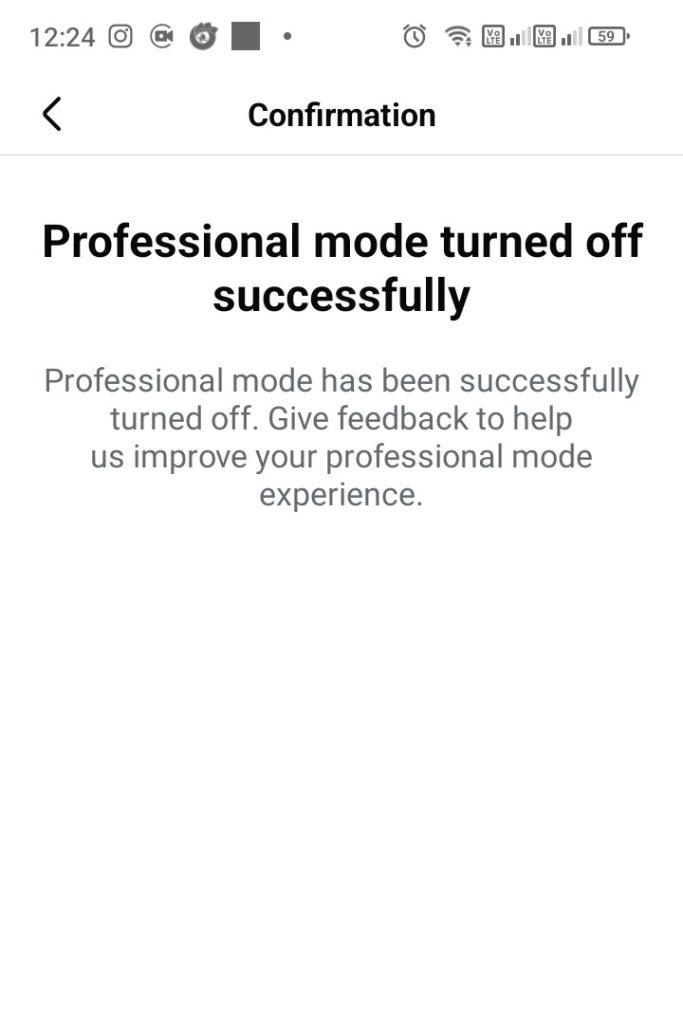
Step 6:- Then you will see that your profile’s professional mode will be turned off successfully. As you can see in the screenshot above.
Warning: Disabling Professional Mode will disable Insights and Monetization features.
Conclusion,
So friends, today I showed you how to turn off professional mode according to Facebook’s new update.
I hope that after reading this post, you will be able to easily turn off the professional mood option on your profile.
If you still don’t understand something, then definitely comment and I will try to provide a solution. I’ll end here for today, thank you.

https://shorturl.fm/un9Ik