Do you want to enable professional mode on your Facebook profile? But don’t know how to enable Facebook professional? Then you can see this post today and know the details.
Nowadays, Facebook is not only a means of keeping in touch with friends, but it has also become a major platform for earning money.
Facebook’s ‘Professional Mode’ feature transforms a normal profile into a professional dashboard,
Through which you can monetize your content.
So let’s see how to enable professional mode on your Facebook profile.
Easy way to enable Facebook Professional Mode: Step by step:
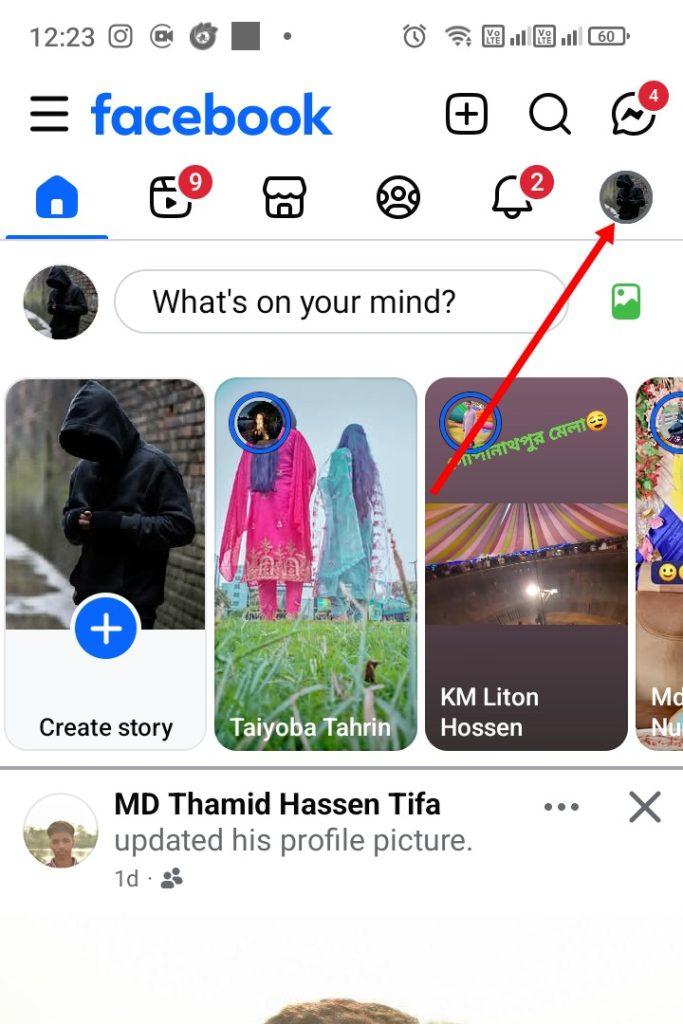
Step 1:- First, click on the profile icon on the right side of the Facebook app,
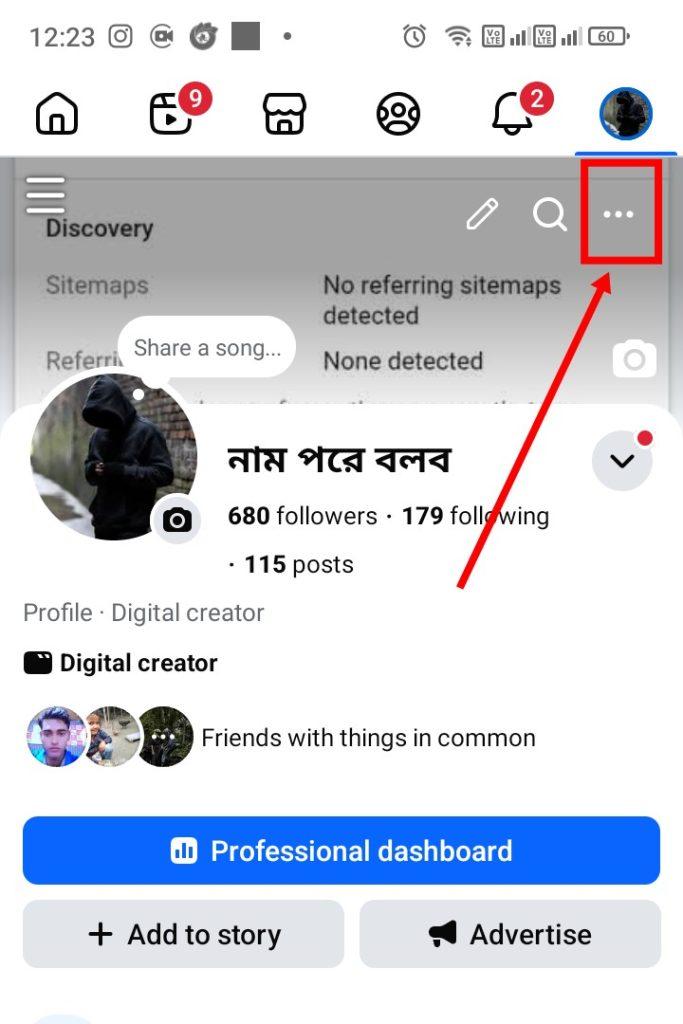
Step 2:- Then click on the three dots ( . . . ) or three-dot menu at the top.
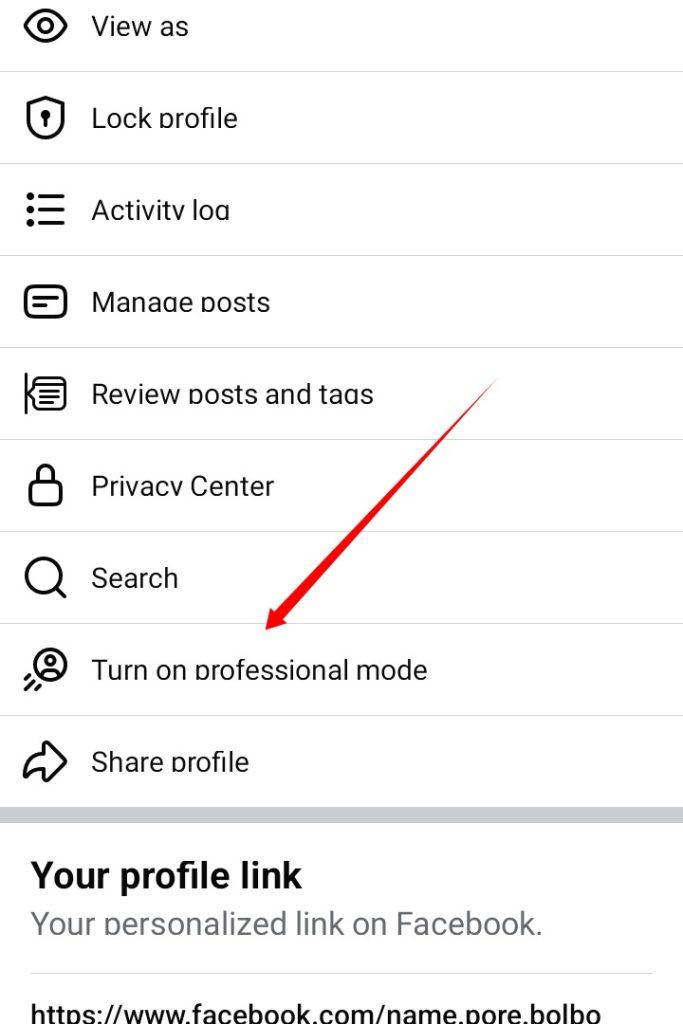
Step 3:- Now find the text ‘Turn On Professional Mode’ here. And click on it.
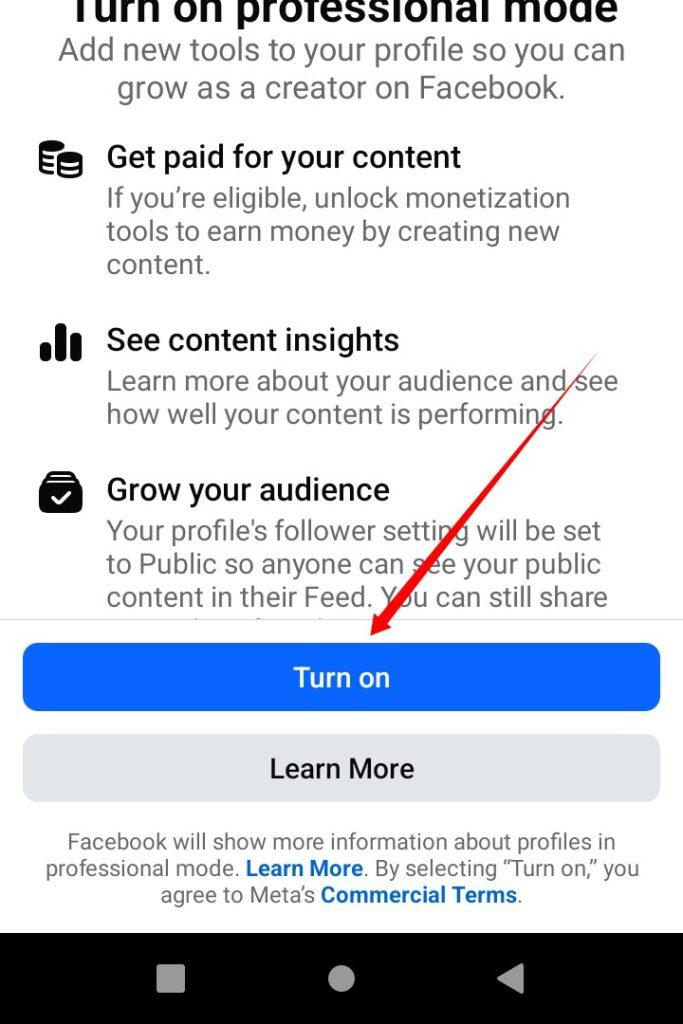
Step 4:- Now click on the ‘Turn On’ button.
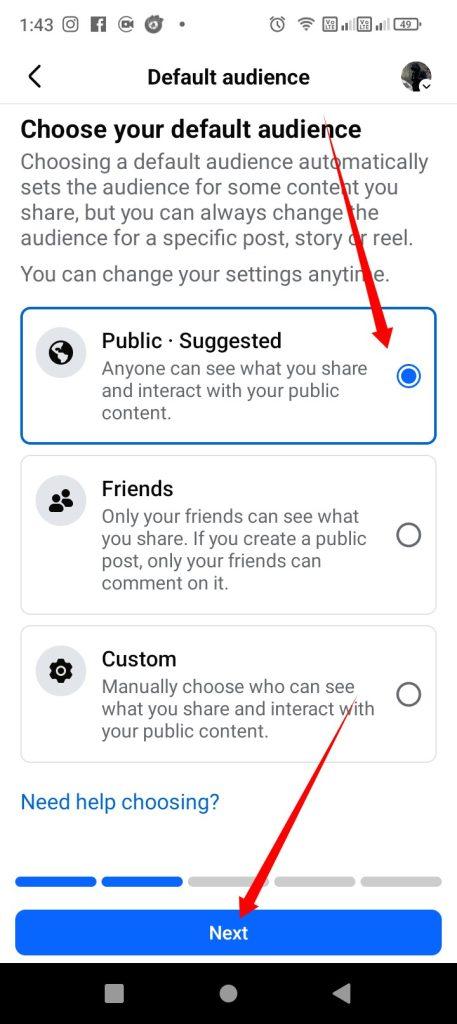
Step 5:- Now you will be asked to select the audience. To make your content reach everyone, select the ‘Public · Suggested’ option and click on the ‘Next’ button.
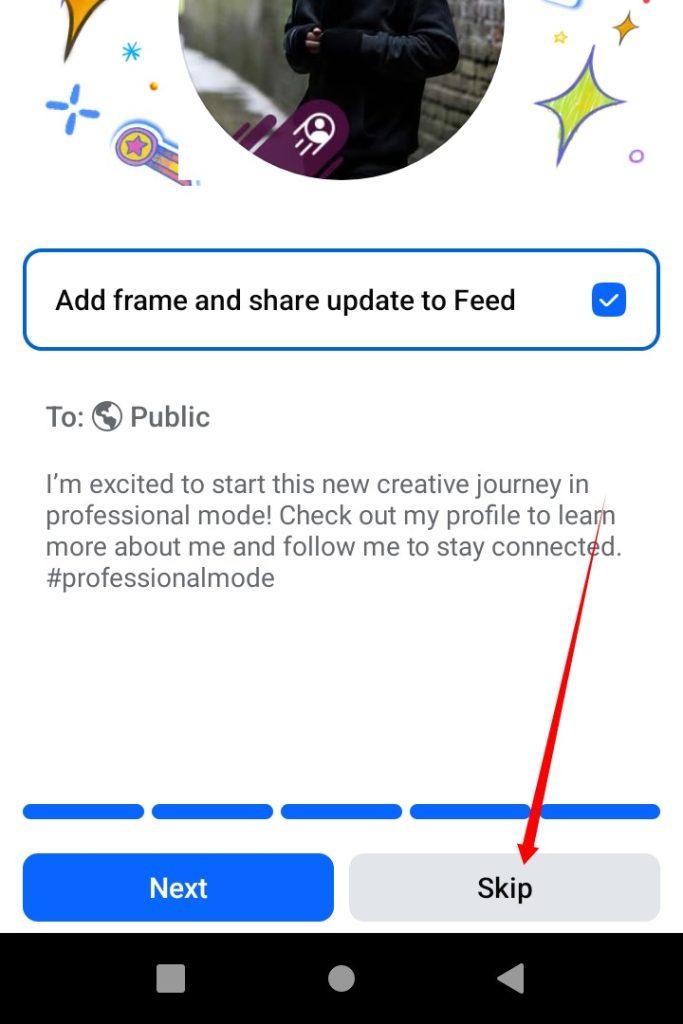
Step 6:- After clicking on a few (Next) buttons, it will look like the screenshot above. Now click on the (Skip) option.
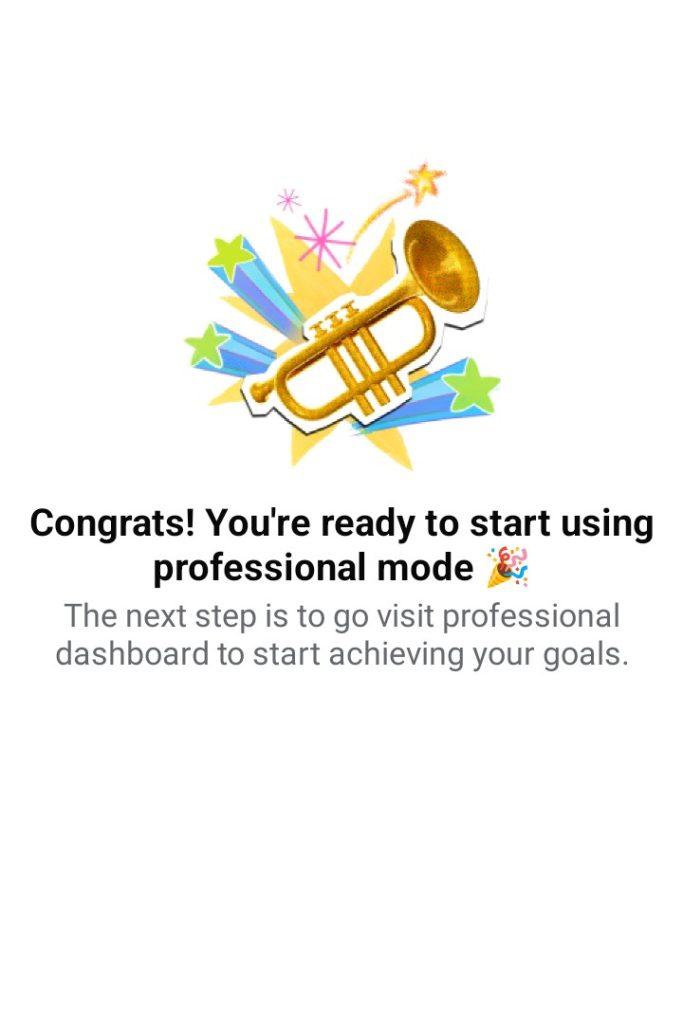
Step 7:- Now you will see the message ‘Congratulations!’ on your screen, which means your Professional Mode has been successfully activated.
Last words.
Enabling Facebook Professional Mode is very easy.I hope that after reading this post today, you will be able to easily enable the Facebook Professional Mode option.
If you don’t understand anything in this post, be sure to comment.
I’m ending today’s post here. If you have any questions, please feel free to ask in the comments and I’ll try to provide a solution.